
SplitRoute
On the App StoreSplit and route orders with rules you can test before they run. Undo any split in one click.
What it does
Four actions, set by rules
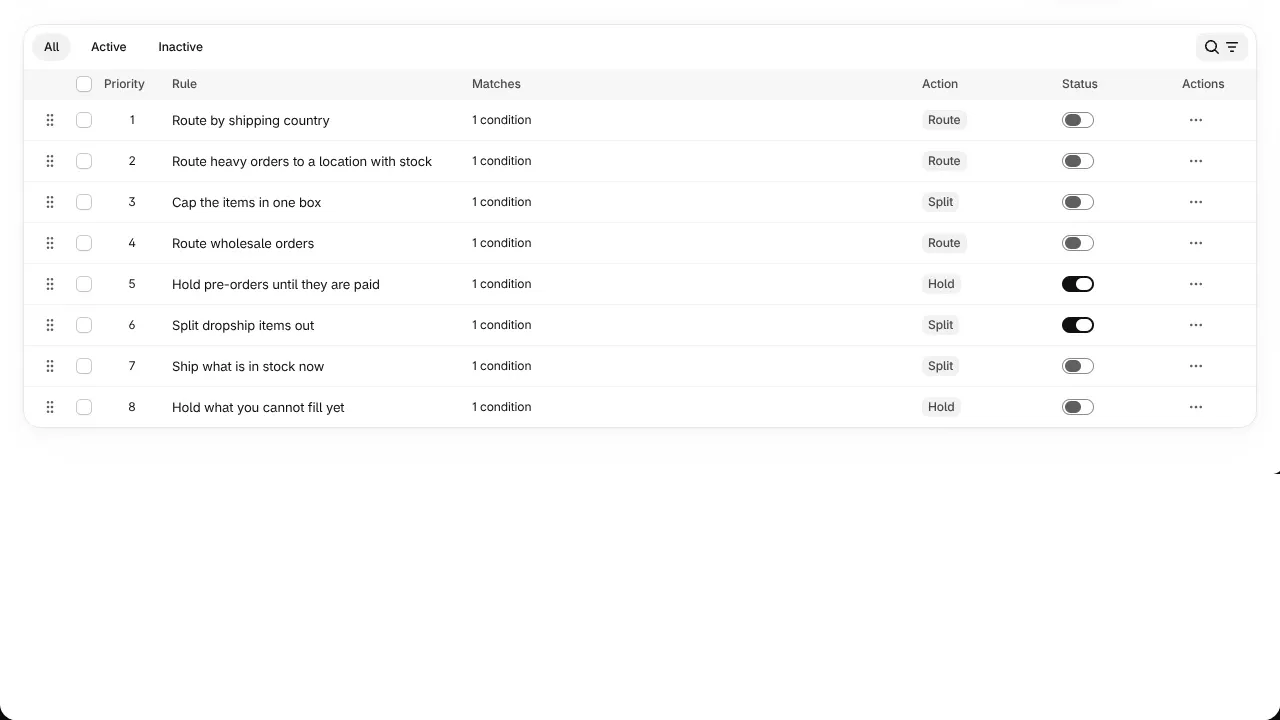
A rule is a set of conditions and one action. Rules run in the priority order you set, and each item goes to the first rule that claims it.
Split
Separate items into their own fulfillment order or their own order.
Route
Send items to the location that should ship them.
Hold
Keep items from shipping until the order is paid, the stock is back, or you release them.
Tag
Label the order for your team, a report or a Flow workflow.
Rules
Say what should happen, in plain words
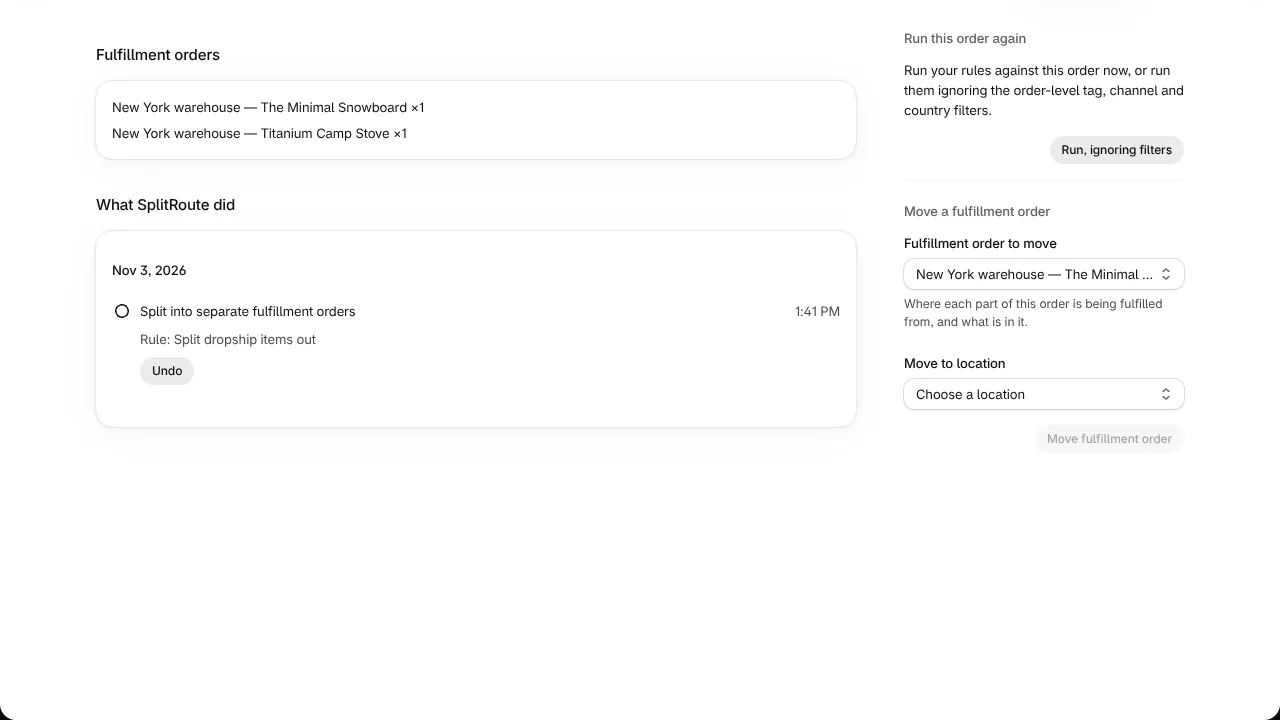
A rule is a set of conditions and one action. Match all of its conditions or any one of them, and exclude products, variants or items that match conditions of their own. A new rule is saved switched off, so nothing changes until you turn it on.
Test before it runs
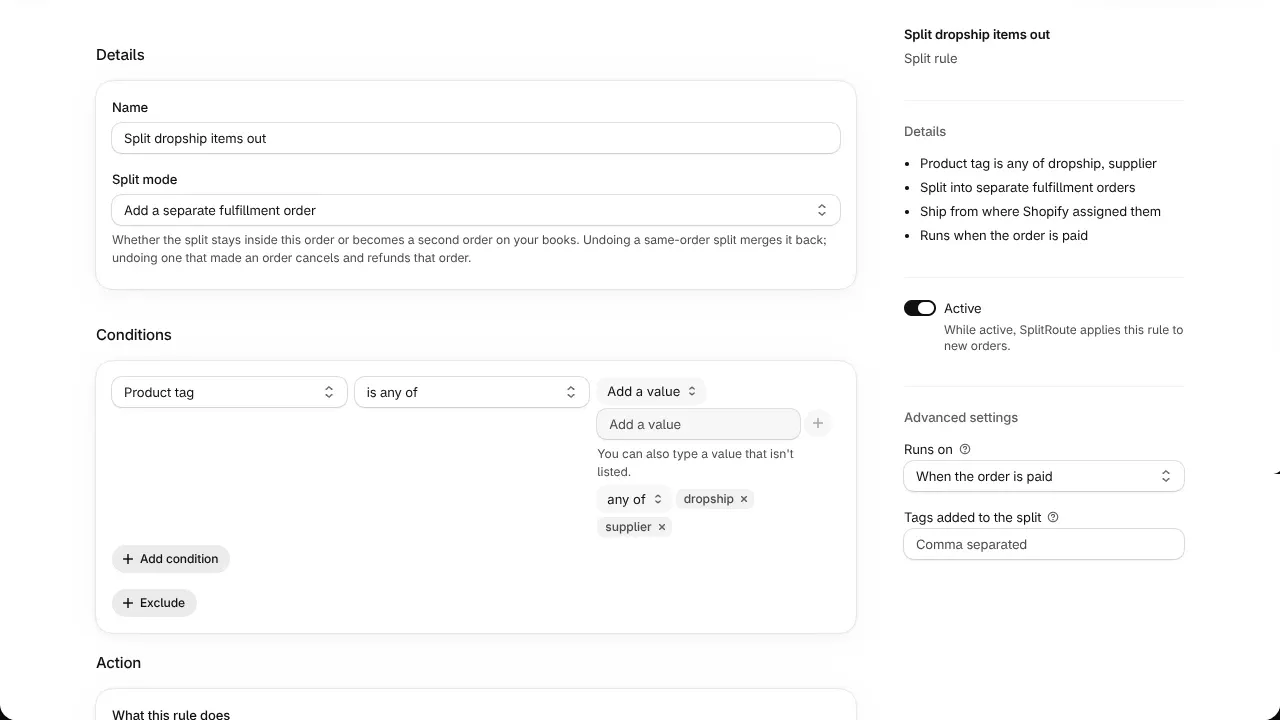
Know what a rule will do before it does it
Test any rule against your 10 most recent orders, or the ones you name. It changes nothing. Each order shows which items match, which rule claims them, which condition failed and the value it saw, and the exact change the rule would make.
Trace and undo
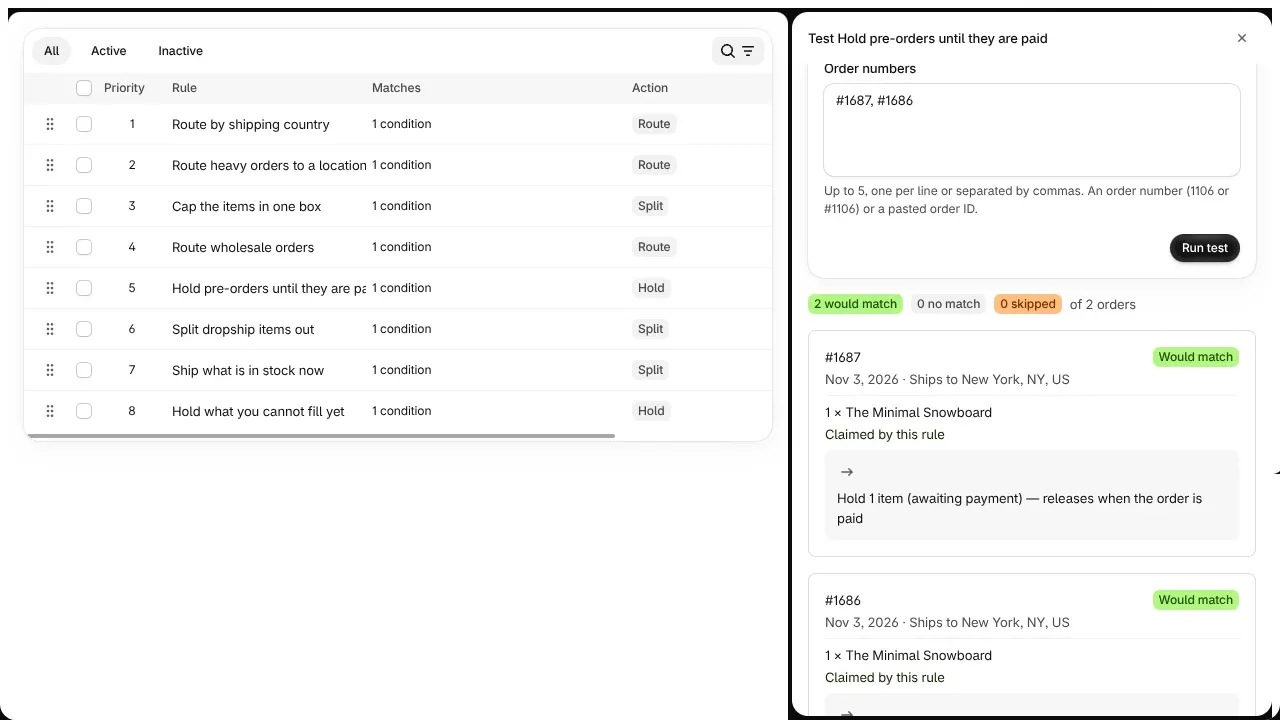
Every order says what happened, and why
Every order SplitRoute acts on gets a record in plain words: what it did, which rule did it, and when. Most actions can be undone from the order, after a confirmation that says exactly what will happen.
Conditions17
What a rule can look at
- SKU
- Product tag
- Product type
- Vendor
- Order tag
- Customer tag
- Sales channel
- Shipping country
- Shipping state or province
- Shipping city
- Shipping postal code
- Weight (grams)
- Stock level
- Item type
- Metafield
- Line item property
- All items
Plans
Every feature on every plan
Prices on the App StorePlans differ only in how many orders SplitRoute acts on each month.
| Plan | Orders SplitRoute acts on |
|---|---|
| Free | 50 a month |
| Standard | 1,000 a month |
| Pro | 5,000 a month |
| Unlimited | No cap |
Common questions
Before you install
Can I undo a split?
Yes. Undo any split, route, hold or tag from the order it happened on. If the items have already been fulfilled, the split stays and the order says why.
Does a split change my reports?
No. A split edits the original order down, so revenue, tax and inventory still add up.
Will a new rule act on orders right away?
No. A new rule is saved switched off, so you can test it first.
Does it work with Shopify Flow?
Yes. SplitRoute has a Flow trigger and a Flow action.
Help
Support and policies
Contact support
Questions and bug reports, answered within two business days by the people who build SplitRoute.
How SplitRoute works
Every part of SplitRoute in detail, on splitroute.lareys.dev.
Privacy policy
What SplitRoute stores about your store and its customers, and when it is deleted.