Presets
Tambour has three presets. All three use Instrument Serif for headings and Instrument Sans for text. They differ in color, in how the header and cart behave, and in which sections the home page starts with.
Tambour
Section titled “Tambour”Light: a pale stone background with deep green, brown and olive spines. Shown on Ostra, a homeware shop.
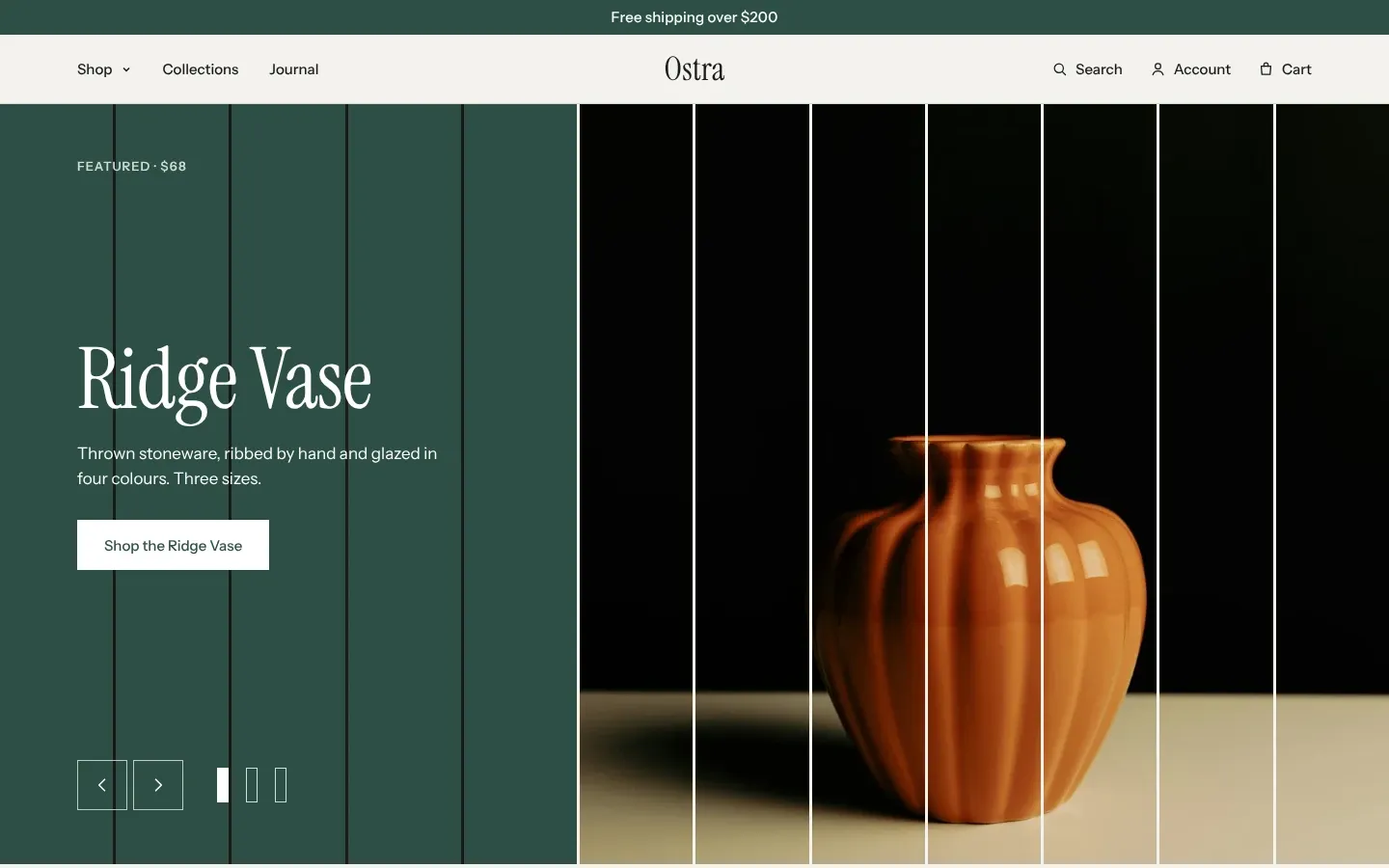
- The header puts the logo in the middle and the menu on the left. The menu opens as a shelf of collections.
- Adding a product opens the cart drawer. Free shipping starts at 200 in your store’s currency.
- Counts read “pieces”, as in “42 pieces”.
- The home page: Slideshow, Featured collection, Collection list, Image with text, Promises, Reviews, Journal and Visit the shop.
Mercer
Section titled “Mercer”Dark: a near-black background with warm, light text. Shown on Corde, a clothing label.
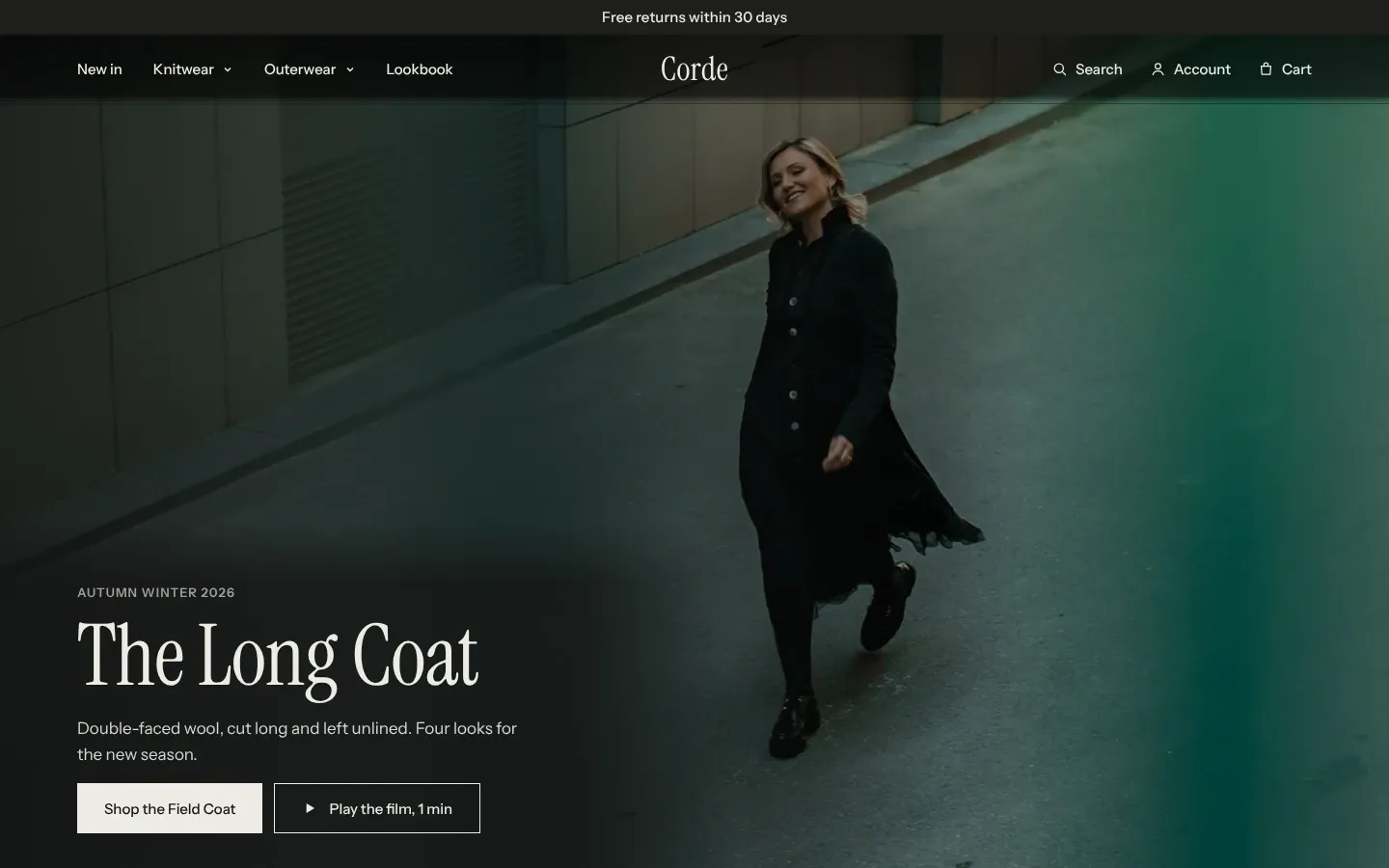
- The header sits over the first section of the home page, and the menu opens in columns with an image.
- Adding a product shows a notification instead of opening the drawer. Free shipping starts at 250.
- The home page: Video, Featured collection, Lookbook, Words, Shop the look, Countdown and Press.
Linden
Section titled “Linden”Soft: a warm cream background with pale clay, sage and blue spines. Shown on Pell, a skincare shop.
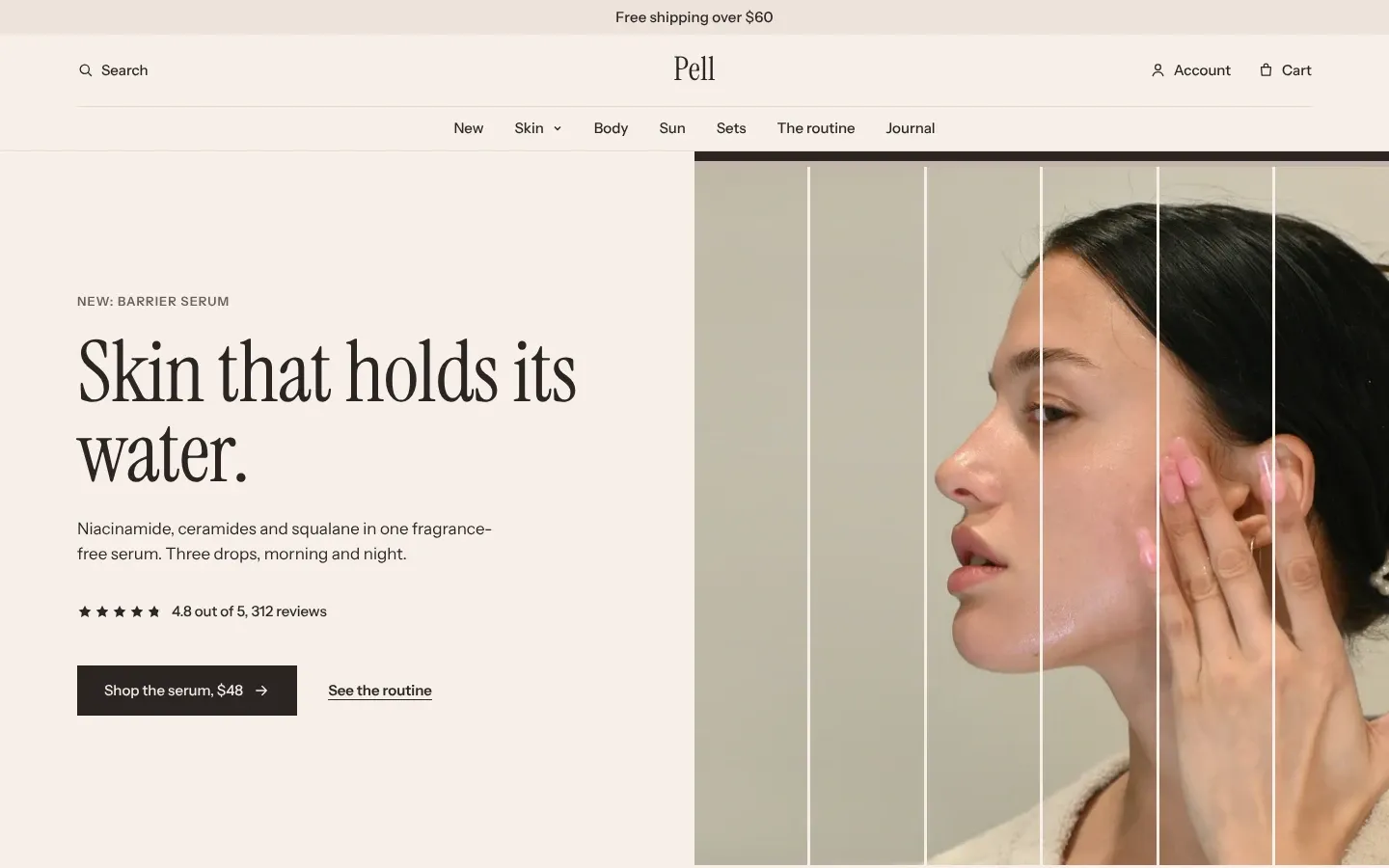
- The header has two rows: logo, search and cart above, the menu below. The menu opens as a dropdown, and the phone menu is a plain list.
- Adding a product opens the cart drawer. Free shipping starts at 60.
- The home page: Image banner, Promises, Featured product, Steps, Reviews and FAQ.
Move to another preset
Section titled “Move to another preset”You pick a preset on the Theme Store before you click Try theme. After that:
- To change the look only, open Theme settings in the theme editor, click Theme style, pick another preset, click Change style, then Save. Your colors, fonts, spine colors and cart settings become that preset’s. The header and your pages stay as they are. Shopify’s Theme settings page has the steps.
- To get another preset’s header and home page too, add Tambour again from the Theme Store with that preset selected. It arrives as a separate draft theme, and your current theme doesn’t change.
Every setting can also be changed by hand. The Theme settings reference lists them all.